Chrome Extension + Web Dashboard

Your Etsy Ads
should have an
operating system.

SafeHand gives you a live extension for fast action and a web dashboard for deeper analysis, rules, audit history, and budget control. One system to protect spend before it turns into regret.

No Etsy API needed
Shadow mode included
Cancel anytime
Setup in 3 minutes

12 listings tracked
2 at risk
Shadow mode active
Last sync 4m ago
Kill Switch
Traffic Heatmap
Dayparting
Rules Engine
Budget Tracker
Portfolio Optimizer
CLICK A NODE TO EXPLORE
Not another Etsy tool.
An ads operating system.

Most tools stop at reporting. SafeHand is built to detect risk, queue action, and give you the context to decide what happens next.

Extension acts
Fast control while you are inside Etsy
Scan the ads page, catch risk, open the right tab, and execute queued actions without leaving your workflow.
Scan nowOpen Etsy AdsShadow / Live
SafeHand decides
One decision layer for ROAS, rules, heatmaps, and budget
Kill switch, rules engine, dayparting, and budget caps all work from the same system instead of scattered spreadsheets and guesswork.
24/7monitoring and queued actions
Dashboard explains
The place for audit history, thresholds, and real decision-making
Review listings deeply, tune rules, inspect action history, and understand why SafeHand is protecting spend before you switch to Live Mode.
01
Extension scans
Reads your live Etsy Ads table directly from the page.
02
SafeHand flags risk
Kill switch, rules, and budget logic decide what needs attention.
03
Dashboard gives context
Review the why, tune the settings, and keep your account honest.
200+
Sellers protected
and growing fast
2.3×
Avg ROAS improvement
in first 30 days
$182
Avg monthly saved
per seller
30min
Kill switch reaction
guaranteed
30-min reaction time🎯ROAS-based automation🌙Runs while you sleep🛡️Kill Switch protection🗺️Traffic heatmapSmart dayparting💰Budget tracking🔌No API keys needed🎭Shadow mode📬Email kill switch alerts30-min reaction time🎯ROAS-based automation🌙Runs while you sleep🛡️Kill Switch protection🗺️Traffic heatmapSmart dayparting💰Budget tracking🔌No API keys needed🎭Shadow mode📬Email kill switch alerts

A workflow built for real ad decisions.

The extension captures the moment. The dashboard gives the explanation. SafeHand sits between them and keeps budget protection consistent.

01
🔌

Install the Extension

Add SafeHand to Chrome from the Web Store. One click, no account required to start.

02

Scrape Your Ads Data

Open your Etsy Ads page and click Scrape Now. SafeHand reads your live data directly from the page.

03
🛡

Let SafeHand Protect You

Kill switch monitors fire automatically. Heatmaps, portfolio optimizer, and dayparting start working with your real data.

Everything your Etsy Ads
actually need.

Built by sellers, for sellers. Each feature solves a real money problem.

🎯

Kill Switch

Automatically pauses listings whose ROAS drops below your break-even threshold. Runs 24/7, no intervention needed.

FREE

Break-even Calculator

Enter COGS, shipping and Etsy fees to find your exact break-even ROAS. Per-listing profit bar chart included.

FREE

Listing Notes & Tags

Add private notes and colour-coded tags to any listing. Spot patterns, track experiments, and keep context next to your data.

FREE

ROAS Trend Chart

Track ROAS, revenue, spend and CTR over 7, 14, or 30 days. Spot momentum shifts and seasonal patterns before they cost you.

PRO
🗺️

Traffic Heatmap

Visualize when your clicks and revenue peak across a 7×24 hour grid. Stop wasting budget during dead time windows.

PRO

Rules Engine

Create custom if-then rules to auto-pause or activate listings. Cooldown periods prevent rapid toggling.

PRO
💎

Real Profit Calculator

Full Etsy fee breakdown per listing: 6.5% transaction + 3%+$0.25 payment processing + $0.20 renewal. True net profit, not guesswork.

PRO

Portfolio Optimizer

ROAS-weighted allocation algorithm suggests how to redistribute your ad budget across listings for maximum returns.

SCALE
📌

Pinterest Automation

Auto-pin your top ROAS listings daily and re-pin weekly performers. Up to 10 pins/day with smart board scheduling.

SCALE

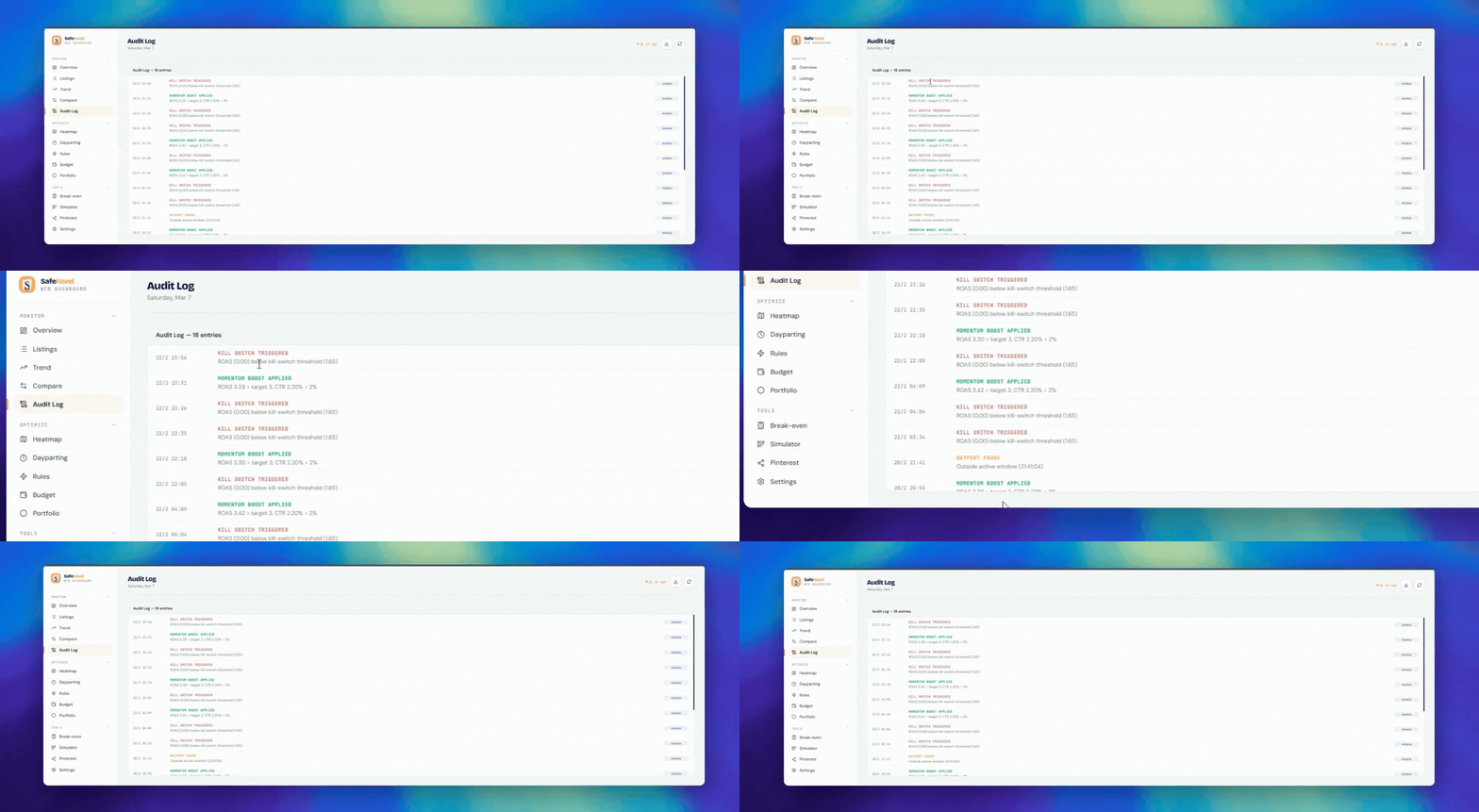
Watch SafeHand Stop a
Money-Losing Ad in Real Time

Real kill switch triggers. Real audit log. No voiceover.

SafeHand kill switch audit log — live demo

Every tool, built for real money decisions.

Click a feature to see how SafeHand works its magic.

FREE FEATURE

Stop unprofitable ads
automatically.

SafeHand monitors your ROAS every 30 minutes and pauses any listing that drops below your break-even threshold — 24/7, no intervention needed.

🎯Set your break-even ROAS threshold (e.g. 1.5×)
⏸️Listings auto-pause when ROAS drops below it
📬Email alert sent when kill switch fires
🔄Re-activate listings with a single click
Kill Switch — Live
Linux Commands Desk Mat
8.90x
Active
RuneScape World Map Mat
3.38x
Active
Cult of the Lamb Mat
0.40x
⏸ Paused
Cyberpunk Night City Mat
0.00x
⏸ Paused
⚠️ Kill switch fired — 2 listings paused · $18.40 saved
BREAK-EVEN THRESHOLD1.50×
PRO FEATURE

See exactly when your
clicks convert.

A 7×24 color-coded grid reveals your revenue patterns by hour and day. Stop spending budget during dead windows.

📊Color-coded by revenue, clicks, or ROAS
🕒Identify your most profitable time windows
📅Compare weekday vs weekend performance
🎯Feed data directly into your dayparting schedule
Revenue Heatmap — This Week
9
10
11
12
1
2
3
4
5
6
7
8
M
T
W
T
F
S
S
Low → High
PRO FEATURE

Run ads only when
they actually convert.

Draw your active schedule on a 7×24 grid. SafeHand auto-pauses listings outside your profitable windows — every single day.

🕐Per-listing drag-and-drop hour schedule
🌙Auto-pause during off-peak or overnight windows
📈Combine with heatmap data for optimal timing
⚙️Different schedules per listing or shop-wide
Dayparting Schedule
Mon
Tue
Wed
Thu
Fri
Sat
Sun
ActiveAuto-paused
PRO FEATURE

Always know where
your budget goes.

Daily spend ring, per-listing breakdown, and customizable budget caps. Set limits per listing and get alerted before you overspend.

💰Daily cap with live progress ring
📋Per-listing spend breakdown
🔔Budget exhaustion email alerts
🚦Set individual caps per listing
Daily Budget — Today
76%
$38.20 / $50
Linux Commands
$18.40
RuneScape Map
$14.20
Cyberpunk Mat
$5.60

Three tools that protect your
budget every hour.

Kill Switch

Your ads run 24/7.
Now you can sleep.

SafeHand monitors your ROAS every 30 minutes. The moment a listing drops below your break-even threshold, it's paused automatically — and you get an email alert. No tab open required.

See Kill Switch →
Kill Switch — Live
Linux Commands Mat
8.90×
Active
RuneScape World Map
3.38×
Active
Cult of the Lamb Mat
0.40×
⏸ Paused
Cyberpunk Night City
0.00×
⏸ Paused
⚠️ Kill switch fired — 2 listings paused · $18.40 saved
Traffic Heatmap

See exactly when
your money works.

Hourly heatmaps show you the 7×24 grid of clicks and revenue across the week. Spot your golden hours instantly — and stop burning budget during dead windows.

Explore Heatmap →
Traffic Heatmap
Mo
Tu
We
Th
Fr
Sa
Su
9am
12pm
3pm
6pm
↑ Fri–Sat evenings drive 58% of weekly revenue
Rules Engine

Set rules.
Stop worrying.

Define if-then conditions once and let SafeHand handle the rest. Auto-pause when ROAS tanks, re-activate when it recovers, with cooldown periods to prevent rapid toggling.

Try Rules Engine →
Active Rules
IF ROAS < 1.5×
PAUSE listing
Active
IF ROAS > 3.0× for 2h
ACTIVATE listing
Active
IF budget spent > 80%
PAUSE for today
Active

Protecting budgets, automatically.

Hundreds of Etsy sellers trust SafeHand to guard their ad spend around the clock.

★★★★★

"The kill switch saved me $340 in a single weekend when one of my listings tanked. I was at a wedding — SafeHand caught it, paused it, and sent me an email. I didn't lose a penny more."

Saved $340
SM
Sarah M.
Garden Gifts Co.
★★★★★

"The heatmap completely changed how I budget. I saw that Saturday 2–6pm was driving 60% of my revenue. I doubled down on those windows and my ROAS went from 1.8× to 3.4× in a month."

1.8× → 3.4× ROAS
JK
James K.
PixelArt Prints
★★★★★

"I used to overspend my daily budget without realizing it until weeks later. The budget tracker alerts me before I hit the cap. It's the feature I didn't know I desperately needed."

Budget mastered
EL
Emma L.
CozyKnits Shop

Built to do what Etsy never will.

SafeHand vs. Etsy's native tools vs. managing it manually in a spreadsheet.

Etsy NativeManual / Sheet
SafeHand
You are here ↓
Kill switch (auto) 24/7
Real profit calc Revenue only With effort Full Etsy fees
Traffic heatmap
Dayparting
Rules engine
Email alerts
Setup timeHours~3 min

Simple, honest pricing.

Start free forever. Upgrade when ready to scale.

Free
$0
forever
Overview dashboard
Kill switch (3 listings)
Break-even Calculator
Listing notes & tags
CSV export
Audit log
×
Heatmap & Dayparting
×
Rules Engine & Automation
×
Real Profit Calculator
×
Portfolio & Simulator
×
Pinterest Automation
Get started free
Best Value
Scale
$19.99
$29.99
per month
Everything in Pro
Portfolio Optimizer
Budget Simulator
Ads Insights engine
Pinterest Automation ✦
Priority support
Early access to new features
Get Scale →

No credit card required for free plan · 7-day free trial for paid plans · Cancel anytime

Questions we get a lot.

Will SafeHand get my Etsy account banned?
No. SafeHand is a Chrome extension that reads data from your own Etsy Ads page — the same data you can see with your own eyes. It doesn't use any private API, bot traffic, or automation that violates Etsy's ToS. The extension only reads what's visible on screen.
What is Shadow Mode and why does it matter?
Shadow Mode is SafeHand's simulate-first approach. Every action (pause, activate) is logged and shown in the dashboard before it touches Etsy. You can review all pending actions, approve or cancel them, and only switch to Live Mode when you're confident. It's on by default for new users.
Does the extension work while my browser is closed?
The extension needs your browser open on the Etsy Ads page to scrape data. However, the kill switch logic runs on our server side — it monitors your saved snapshot data and queues actions. When you next open Etsy, pending actions are executed automatically.
Which browsers are supported?
Currently Chrome and all Chromium-based browsers (Edge, Brave, Arc). Firefox support is on the roadmap.
Can I try Pro before paying?
Yes — Pro includes a 7-day free trial. A credit card is required to start, but you won't be charged until the trial ends. Cancel anytime before 7 days and you pay nothing.
What happens to my data if I cancel?
Your data stays in our database for 30 days after cancellation so you can reactivate without losing history. After 30 days, snapshots older than that are purged. You can also request full deletion at any time.
📌 Coming Soon — Scale Plan

Turn your Etsy listings into
Pinterest traffic — automatically.

SafeHand will auto-create optimized pins for every new listing, re-pin your best sellers, and track performance — all without lifting a finger.

📌
Auto-pin new listings
Every new Etsy product gets a Pinterest pin automatically with optimized 2:3 ratio images.
🔁
Smart re-pinning
Detects top-performing listings and re-pins them to maximize reach and traffic.
📊
Pinterest analytics
Track impressions, clicks, and engagement. See which pins drive actual Etsy sales.
Join waitlist — Scale plan →
PINTEREST DASHBOARD
🗺️
RuneScape World Map
2.4k impressions
🎮
Cyberpunk Night City
1.8k impressions
💻
Linux Commands
3.1k impressions
🐑
Cult of the Lamb
980 impressions
🚀
Millennium Falcon
1.2k impressions
⚔️
D&D Spell Cards
756 impressions
THIS WEEK
9.4k
Impressions
312
Clicks
84
Saves

Your ads are running right now.
Are they profitable?

Find out in 3 minutes. No setup required.

Install Free Extension →

Free forever plan available · 7-day Pro trial · Cancel anytime